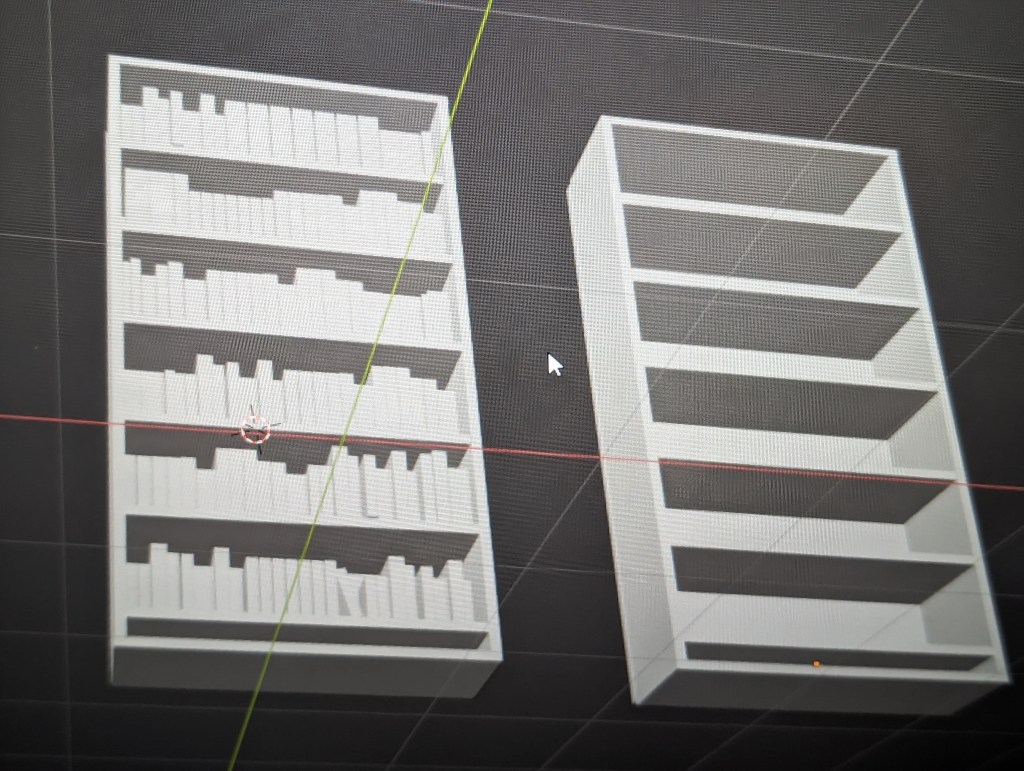
A friend of mine was showing me some cool stuff he was doing with Blender and Unreal Engine and it got me motivated to get into the Blender class I bought on Udemy a while back. I made a bookcase and showed it to some friends. Someone mentioned that I could probably make a bookcase more easily using Unreal Engine. Then I thought to myself, hey, I have made a bookcase on Unreal Engine before and the comment got me wondering if it was really true that Unreal was easier than Blender, at least with respect to bookcases..
So why am I making bookcases? This is mainly because I am a nerd who loves to collect books. I should say that I used to collect books but unfortunately, I have found it financially prudent to sell them off a couple times in my life. The first time was when Ebay first came out and I was fascinated with the auction process. I sold a bunch of books and all my old Transformer toys from the 80s. Then I bought a car, not a great car but a functional one. Why? Because I really wanted a car, and I was 22 and didn’t have one yet. The books and toys had just been sitting around at my parents house for years anyway. The second time I sold all my books involved downsizing after a career change and in preparation for a move. I was able to replace most of my old yard sale furniture with new stuff. The third time was just after moving into a new house. I had a lot of books at this point, the moving team was quite surprised at the extra workout. The new house needed about 60k in renovations, so I sold all my books except for a few special ones that were signed specifically for me by the authors. Did the books pay for all the renovations? Well no, but they covered most of it.
So I really love books, however, it became apparent after having a kid and lots of expected and unexpected house guests over the years that rebuilding the book collection in this particular home would not be practical. For this reason one of the early projects I’d like to work on in Unreal Engine is creating a virtual man-cave where I can have all the cool gee-whiz stuff that I can’t afford and don’t have space for in real life. This shall of course include a virtual library.
The bookcases I have built so far in Blender and Unreal Engine are not anything exciting or fancy. I am at the beginning stages of both and I am basically just joining rectangles together. I had an easier time in Unreal because I did not fill the bookcase with books and it is very easy to drag and drop a wood material onto the bookcase to color it. I still haven’t figured out how to color stuff on Blender, mostly because my class hasn’t gone there yet. However, I didn’t see an easy drag and drop option like UE.
During the process I learned that materials on Unreal Engine do not always drop on at the right size for some reason. With a little research I found out that I could open the material blueprint and add a texture coordinate node and attach it to the uv part of the material texture sample. Then you can adjust the u tiling and v tiling to change the relative size of the texture. This technique may be handy for another project I’m thinking about.
The Blender bookcase was a result of me practicing some of the stuff I had learned in the Udemy class. There was a demo where the instructor used a lot of basic shapes combined with scaling and rotation to create a little scene including a house, some trees and even some blocky cars. I followed along for a little while, but I really wanted to try a bookcase and some books. The bookcase was a simple affair of five rectangles for the main structure and a bunch of duplicated rectangles for the shelves. The books were four rectangles which included the spine, front and back cover and the pages joined together. I used scaling along the various axes to make books of different sizes, joined them and filled the shelves. This took a lot longer than expected as getting the books to all line up correctly and then aligning them on the shelves was tougher than I thought. There is probably an easier way to do it, but I didn’t know how to move the camera so I actually moved the bookshelf around a lot so I could see what I was doing. I also couldn’t figure out how to get the books to just snap to the shelves. What I did get, was a lot of practice with the hotkeys for grabbing and moving along the x,y, and z axis and switching the isometric views with the number pad. I am looking forward to making more bookcases with higher level skills.
My goal is to really leverage what I understand about this software in the next few months. It seems like Blender and UE really are like the peanut butter and jelly of game design. Blender is the cool free software that lets you sculpt, model and animate whatever you want. Then you can take these toys to Unreal Engine’s playground and create game rules and interactions around them.

 The Upgrade Blog